Speak it, done.
Tap the mic and say it naturally. RAAS pulls the amount, picks a category and adds the place as a tag — then asks you to confirm. 96% gets it on the first try.
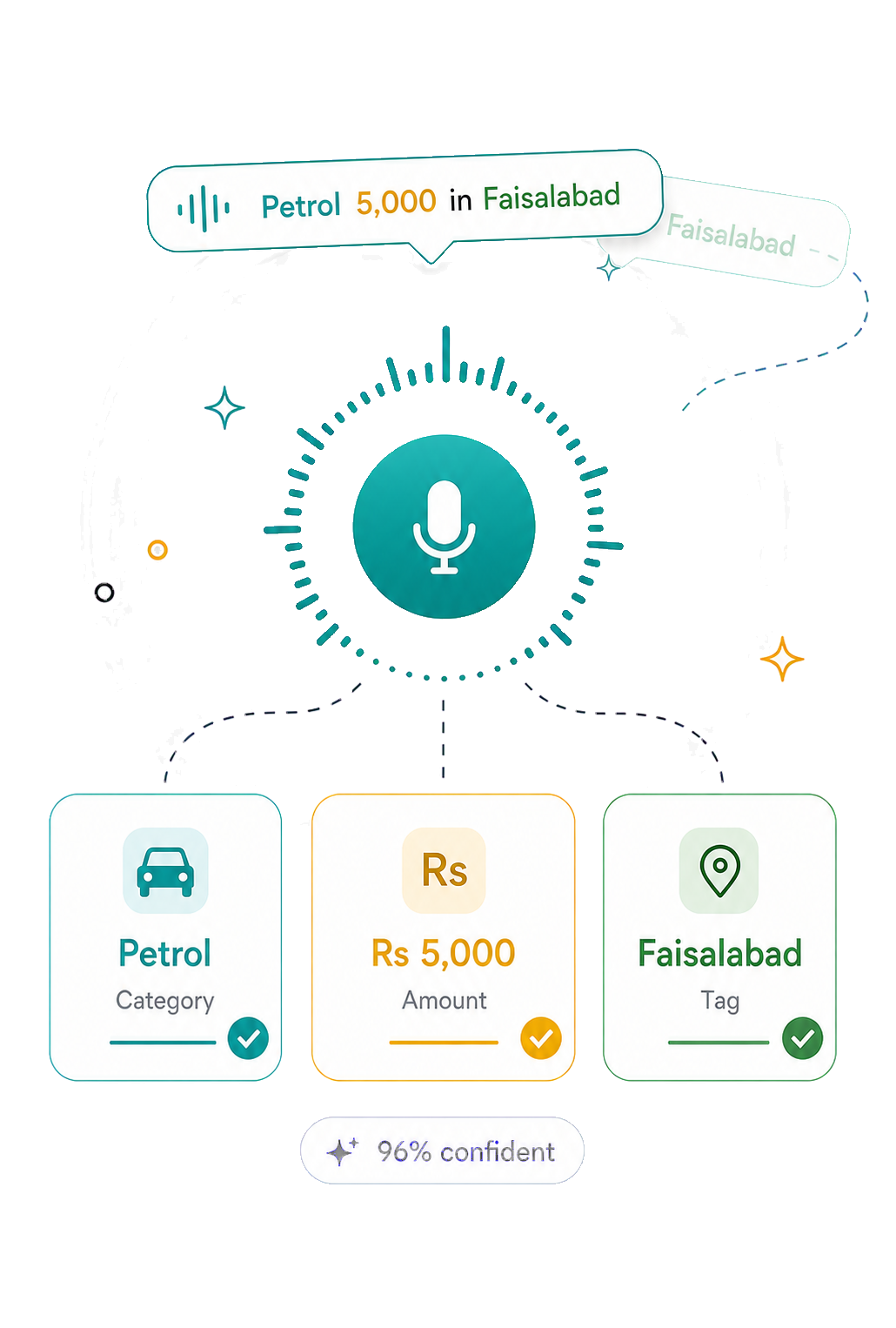
Speak a spend the way you'd say it — “coffee 4.50 downtown” — and RAAS catches the amount, category and tag for you. Offline-first, biometric-locked, quietly beautiful.
No spreadsheets, no friction. RAAS turns a sentence into a sorted expense and quietly keeps your month on track.
Tap the mic and say it naturally. RAAS pulls the amount, picks a category and adds the place as a tag — then asks you to confirm. 96% gets it on the first try.
Log on the bus, in a basement, anywhere. Everything saves on-device and syncs the moment you’re back online.
Your spending stays yours. Open with a fingerprint or face — nobody else gets a peek.
A daily safe-spend number, an “on track” nudge, and a trend line that shows your peak — so you feel the month, not just read it.
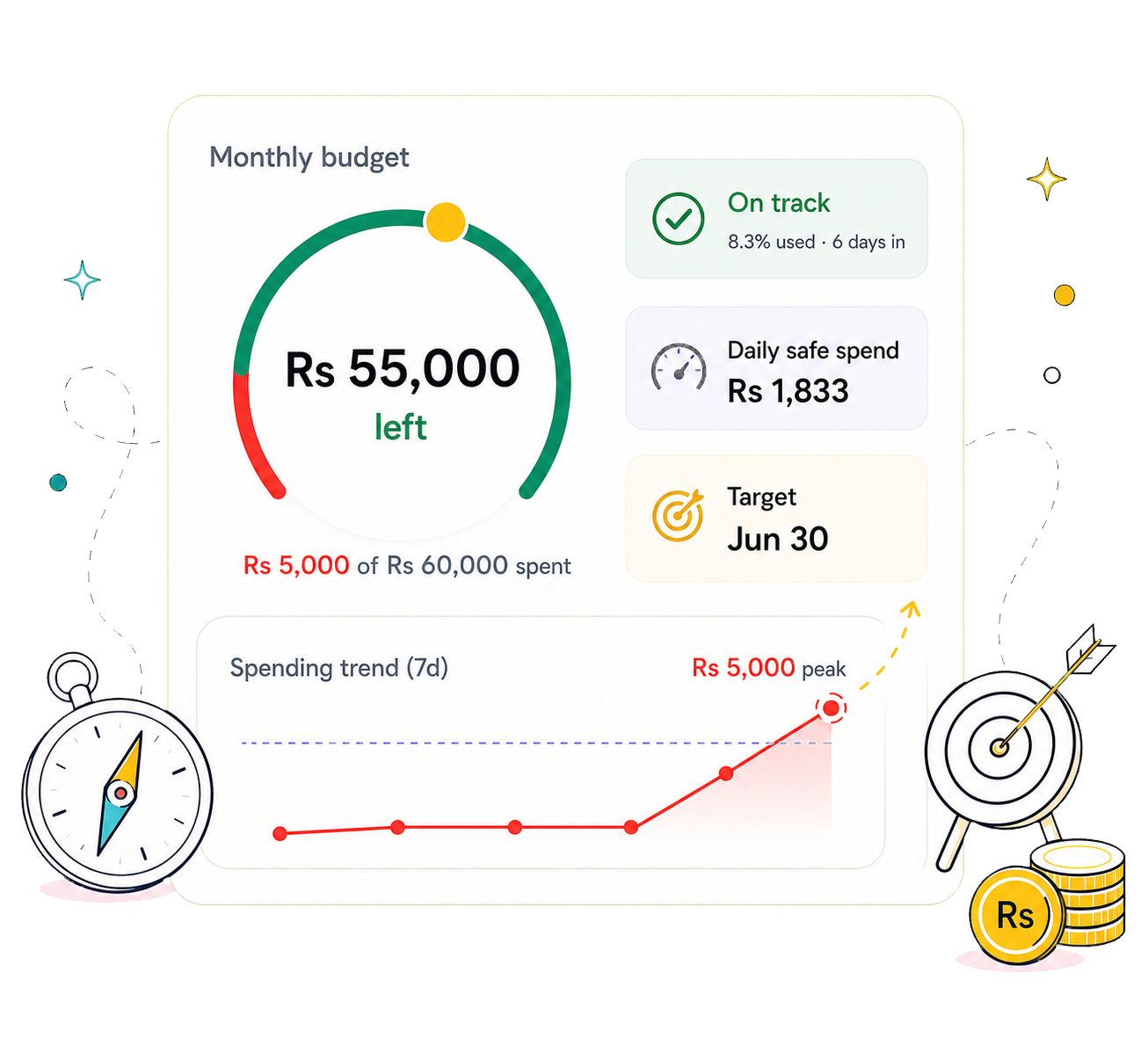
Sinking funds for known future bills — Eid, rent, a new phone. Earmarked money is split out, so your “available” savings tell the truth.
Group spend by city, trip, person or project. See exactly where a tag’s money went, anytime.
Hand-drawn illustrations, a saffron-and-ink palette, and numbers that are easy to read. Here’s the feel.
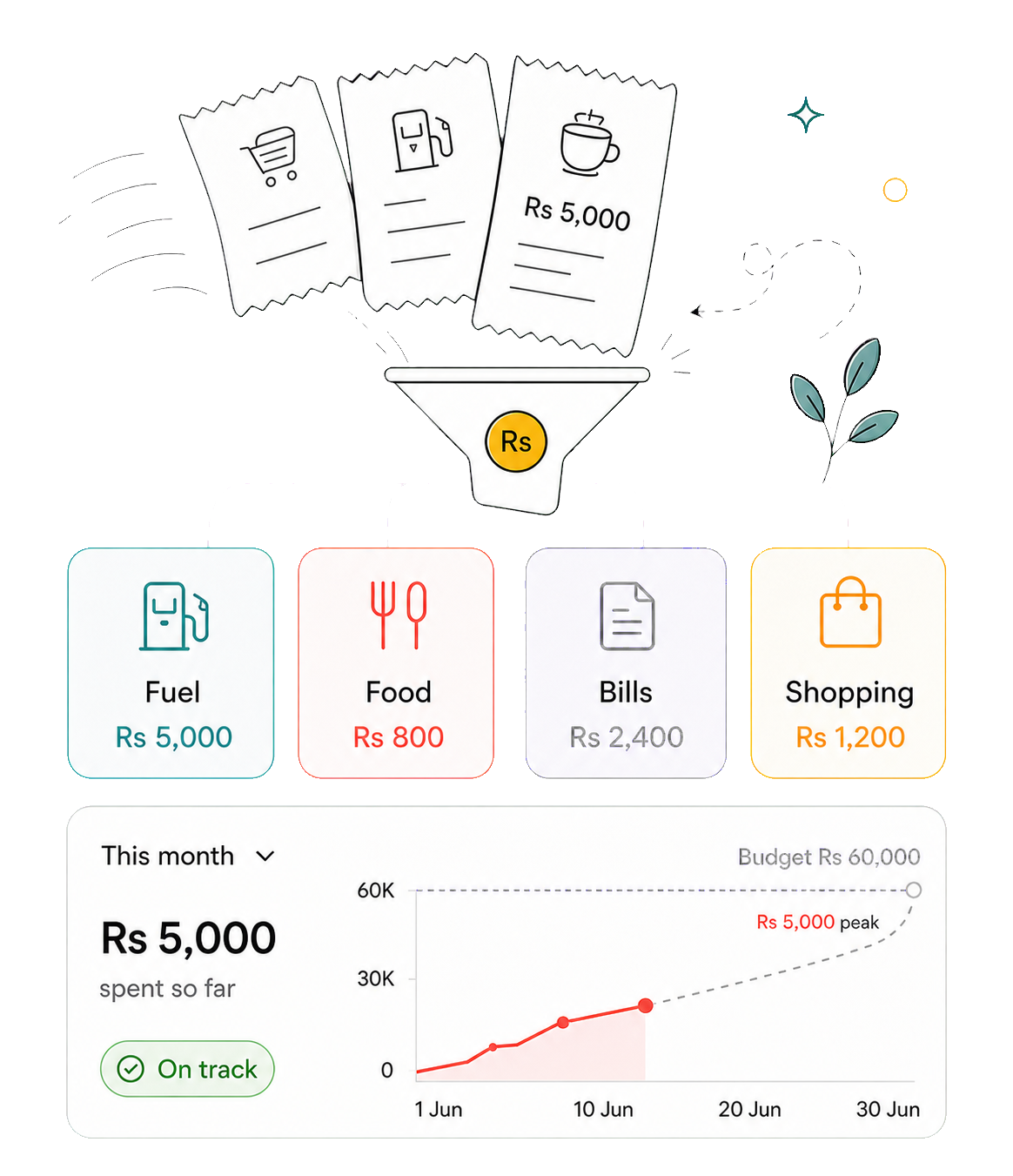
RAAS ships as a direct download while it makes its way to the store. Here’s the whole thing.
Tap Download APK below on your Android phone. The file is raas-v1.3.0.apk.
Open it. If Android asks, tap Settings and toggle Allow from this source — then come back.
Hit Install, then Open. Sign in, set your budget, and say your first expense. That’s it.
One file, no store account, no waiting. Download the latest release build and start tracking in under a minute.
By installing you’re running a direct build. Your data stays private — see the privacy policy.
Yes. This is the same signed release build that will go to the Play Store — you’re just getting it a little early. Android will warn about “unknown sources” simply because it didn’t come from the store; you can re-disable that permission right after installing.
Expenses live on your device first and only sync to your private account so you can restore them. They’re never sold or shared, and the app locks behind your fingerprint or face. Full details are in the privacy policy.
Yes — say something like “coffee 4.50” or “fuel 60 downtown” and RAAS extracts the amount, category and tag, then shows a confirmation sheet so you’re always in control.
Logging, editing and browsing all work fully offline. Anything you change queues up and syncs automatically the next time you’re connected.